Google Just Built AI Into Your Entire Workspace
TL;DR
- Gemini is already inside Google Workspace - no new app, no extra sign-up needed
- Google Docs can now draft from your existing files and emails - great for proposals, SOPs, client documents
- Google Sheets builds spreadsheets from plain-English prompts - formulas and formatting included
- Google Forms auto-populates questions from a description - built a full onboarding form in under 10 seconds
- Drive search has improved - finally finds files you can't quite remember the name of
Google Built AI Into Your Entire Workspace And Here's What's Actually Worth Using
Quick question. How many tabs do you have open in Google right now?
Docs, Sheets, Drive, maybe a Form or two. The usual chaos of running a business with a Gmail addiction and a folder structure that made sense six months ago.
But guess what?
Google has been quietly building AI into all of it. Not a separate app to download. Not a new platform to learn. Just... there. Sitting inside the tools you're already using every day, waiting for someone to actually use it.
That someone might as well be you 😃
So what actually is Gemini in Google Workspace?
Gemini is Google's AI - and they've been rolling it out across Workspace for a while now.
Think of it as an assistant that lives inside your existing Google tools.
- It can read your Docs
- Understand your Sheets
- Look through your Drive
- ...and help you create things faster than you'd do them yourself.
It's not magic. It won't know your business instinctively or write copy that sounds like you without a bit of setup. But for the repetitive, structural, "I know exactly what I want but I don't want to build it from scratch" tasks? It's genuinely useful.
Here's what it can actually do across each tool.
The five things worth knowing
- Google Docs - draft from what already exists
Instead of starting from a blank page, you can point Gemini at files or emails you already have and ask it to draft from those. So if you want to turn a messy email thread into a proper proposal, or pull key points from a previous document into a new one, you can. No copying and pasting across tabs. No reformatting for twenty minutes.
For coaches and service providers who write a lot of client-facing documents, this one's worth trying.
- Google Sheets - build spreadsheets from prompts
You describe what you need and Gemini builds the structure. Not just the formatting - the formulas, the columns, the whole thing. So instead of spending half an hour setting up a client tracker or a project planner, you describe it in plain language and it gives you a working starting point.
(Yes, you'll still need to tweak it. But starting from something is a lot faster than starting from nothing.)
- Google Slides - better presentation support
If you use Slides to put together decks - for clients, for workshops, course lessons - Gemini can help you build them faster. Better layout suggestions, content support, less time faffing around with formatting.
Course creators - describe a module topic and ask Gemini to build you a slide outline with speaker notes. Get your next lesson plan in about 3 minutes.
- Google Drive - search that actually works
Drive search has always been a bit hit and miss. Gemini has improved it, making results more relevant and easier to navigate. A small thing, but when you're trying to find a document from eight months ago and you can't remember what you called it, better search is not nothing.
- Google Forms - and this is the one that got me
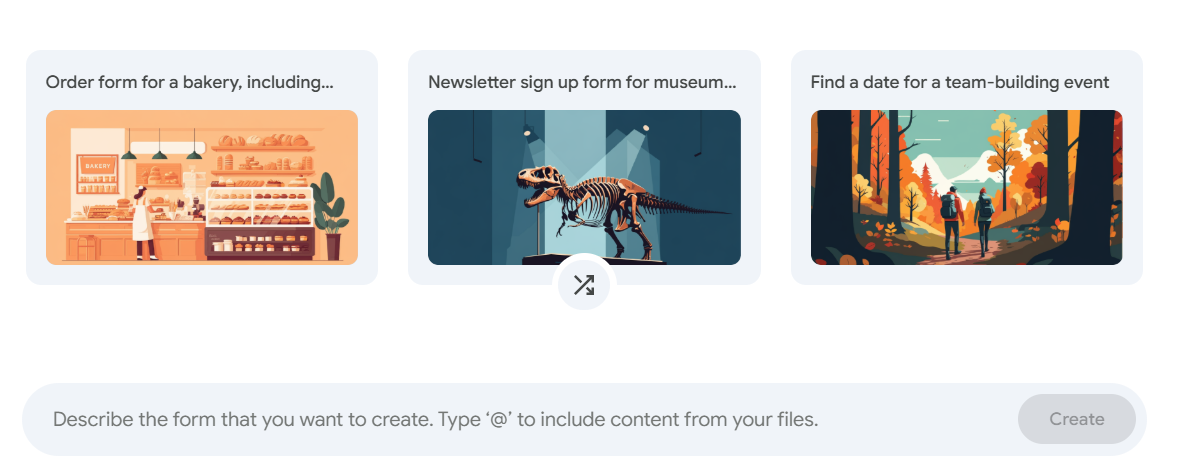
Forms can now auto-populate questions from a description you provide. You describe what the form is for and it builds it for you.
I created an onboarding form in under ten seconds. And that's not an exaggeration either! I already had my questions, so when I opened the Google Form I just dropped them into the section that said 'Describe the form that you want to create' and voila! The entire form was built.
It knew when to choose short answer, long paragraph, multiple choice, drop down, date, etc. Honestly, it felt wonderful to have Gemini create the entire form for me 😀
How to find it and try it today
Open a Google Doc, Sheet, Slide, Form..
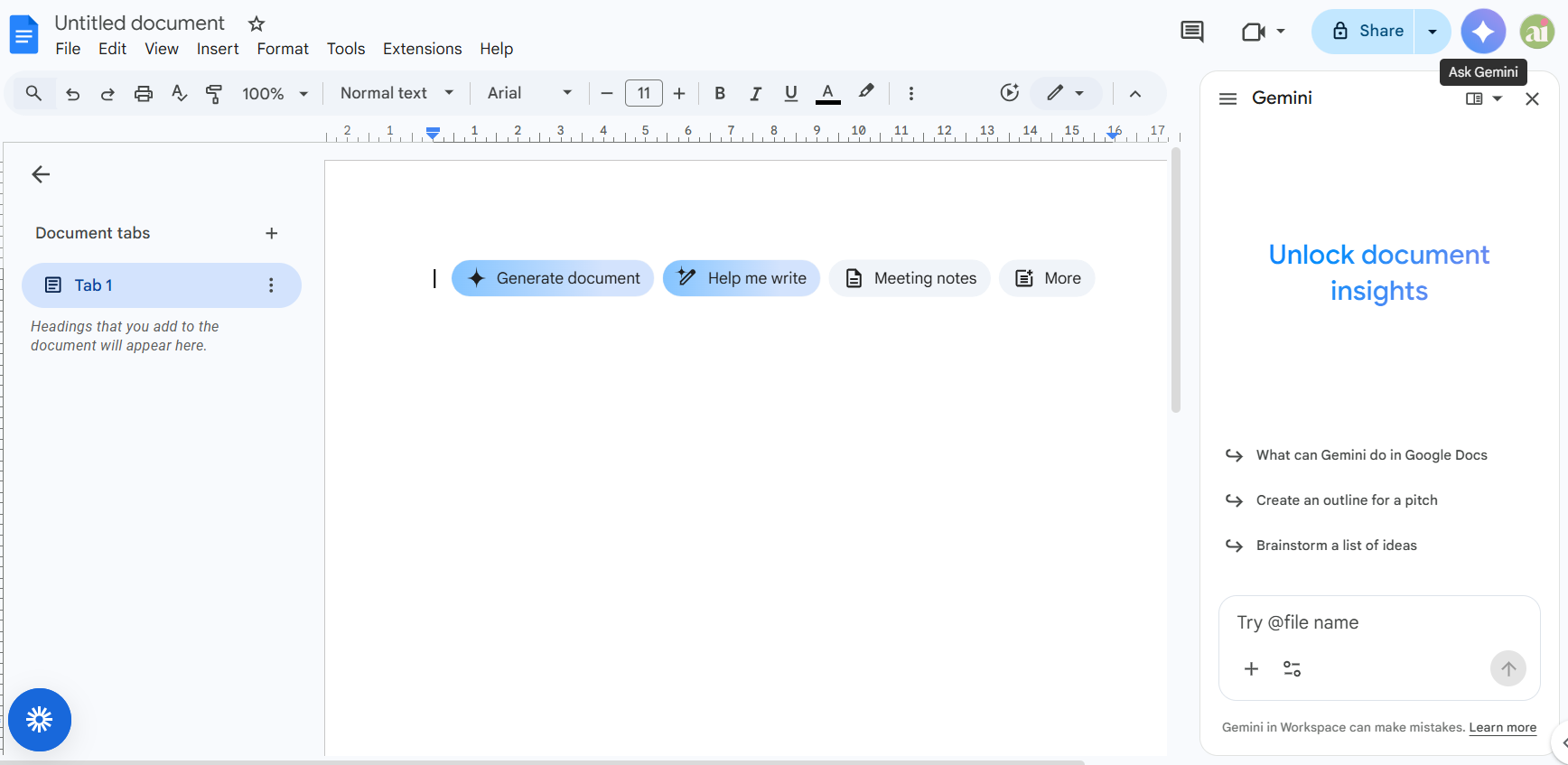
Look for the Gemini icon in the top right corner or down the side panel - it looks like a small star shape(see image below). Click it and the sidebar opens.
That's it. Start there.
Ask it something simple - summarise this document, draft a response to this email, build me a basic project plan. Get a feel for what it does before you try anything ambitious.
And if you're on a Google Workspace plan that includes Gemini, this is already available to you.
Want to stay updated?
Get Systems & Sanity - my free weekly newsletter.
Every Saturday morning I'll drop into your inbox and bring you the latest AI and automation news, as well as tools worth knowing about, productivity tips and even some behind-the-scenes stuff. Enter your details below and I'll see you on Saturday.
Dorne 💖